

Enterprise UX / Platform Work
When internal systems evolve over time, complexity becomes invisible but costly.
This redesign focused on restoring clarity within real operational and technical constraints.
Project Summary
✦ Project: Large furniture manufacturing enterprise' Defect Management Reporting (DMR) portal
✦ My role: UX Designer (research, synthesis, IA, interaction design, visual design)
✦Team: UX, Business Analysts, React Developers, Data Architects
✦Context: Legacy enterprise system with high operational dependency
✦Timeline: Tight, sprint-based delivery
My contribution
✦ Took over a stalled project mid-stream and built the research plan from the ground up -
Defining the approach, identifying the right stakeholders, and running all sessions independently
✦ Conducted stakeholder interviews and workshops to surface what the existing system documentation couldn't show - how people actually used it versus how it was designed to be used
✦ Translated research findings into a restructured information architecture and simplified task flows across three distinct user groups
✦ Owned all UI design and iteration through to handoff - working within React and legacy system constraints throughout
Where the problem arose
A furniture manufacturer. 20 factories across the US. 5,000+ shop floor workers logging defects daily on a portal that had barely changed in years.
The cracks showed up in behaviour:
Factory workers weren't logging defects as they happened - they'd wait until end of shift and batch everything at once, because doing it in real time cost too much time per entry.
Admins were managing 5,000 user profiles with Excel printouts and one-by-one deletions.
Corporate managers had no single place to see what was happening across factories.
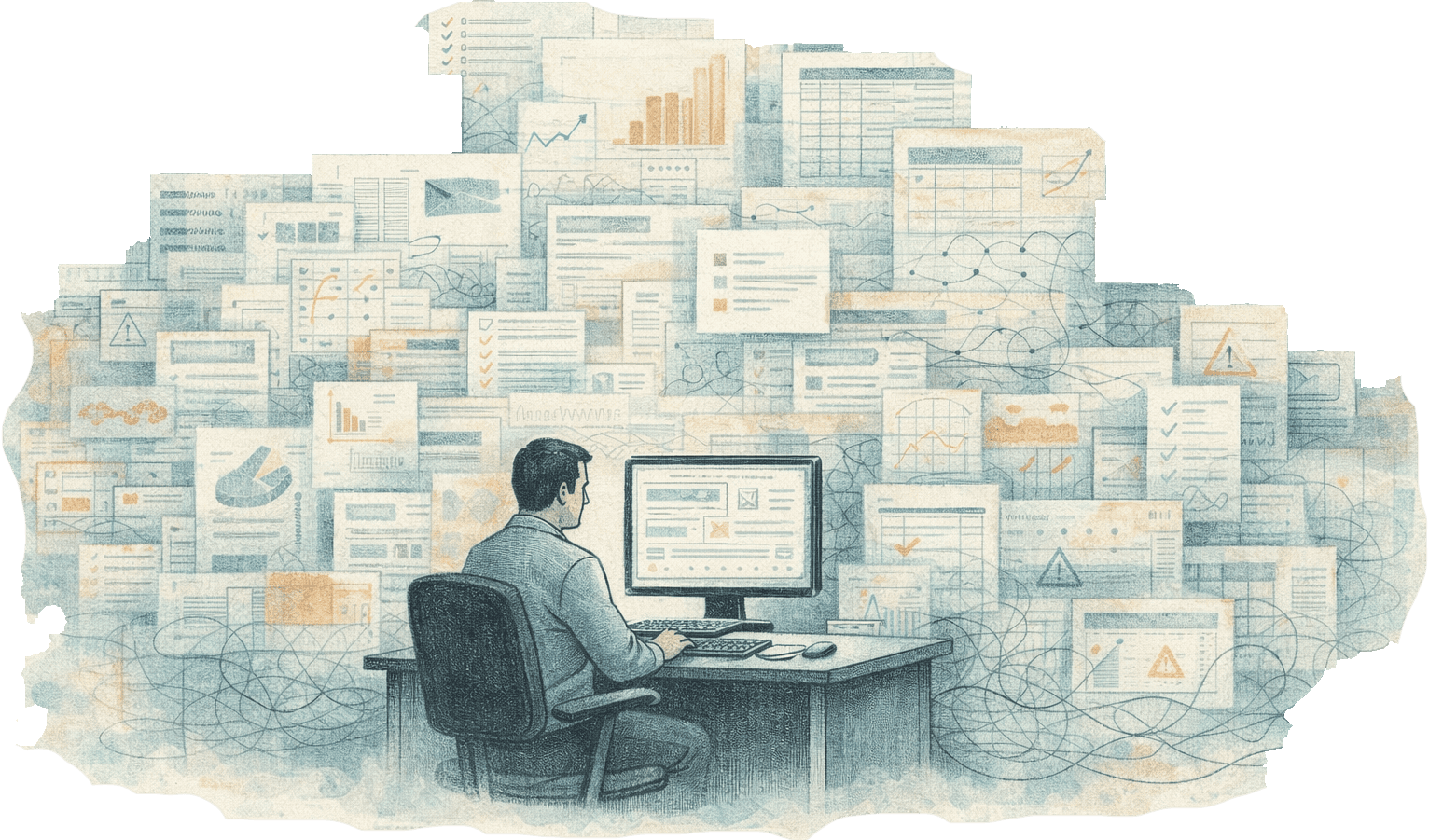
The portal worked. People had just built their entire workflow around avoiding it.
The Research
Secondary Research - Learning from the Category
Before speaking to users, I studied comparable enterprise quality management platforms to understand what patterns work, where the category consistently falls short, and what users have come to expect.
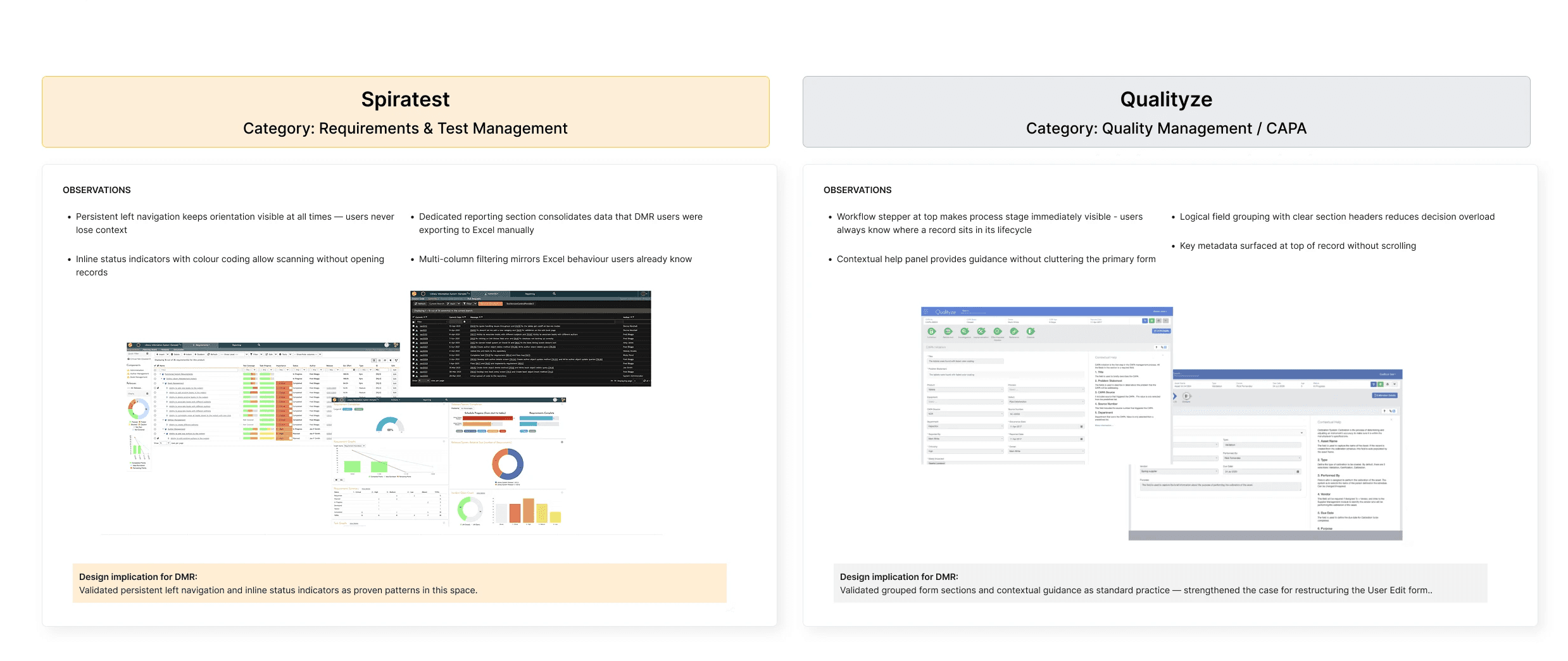
G2 Category Reviews
Category: Enterprise Defect / Quality Management Tools
Key observations:
Most common complaint across category: steep learning curve requiring tribal knowledge
Most common complaint: poor filtering and export capabilities forcing Excel workarounds
Most valued feature: audit trail and real-time status visibility
Most valued feature: role-based access control when implemented clearly
Design implication for DMR:
Make DMR management as simple as reporting a problem, while retaining the traceability and control expected from an enterprise quality system.
Footnote
Studying the category before speaking to users ensured that design decisions were informed by what works elsewhere -
and that solutions were genuinely designed keeping in mind the needs of the users.
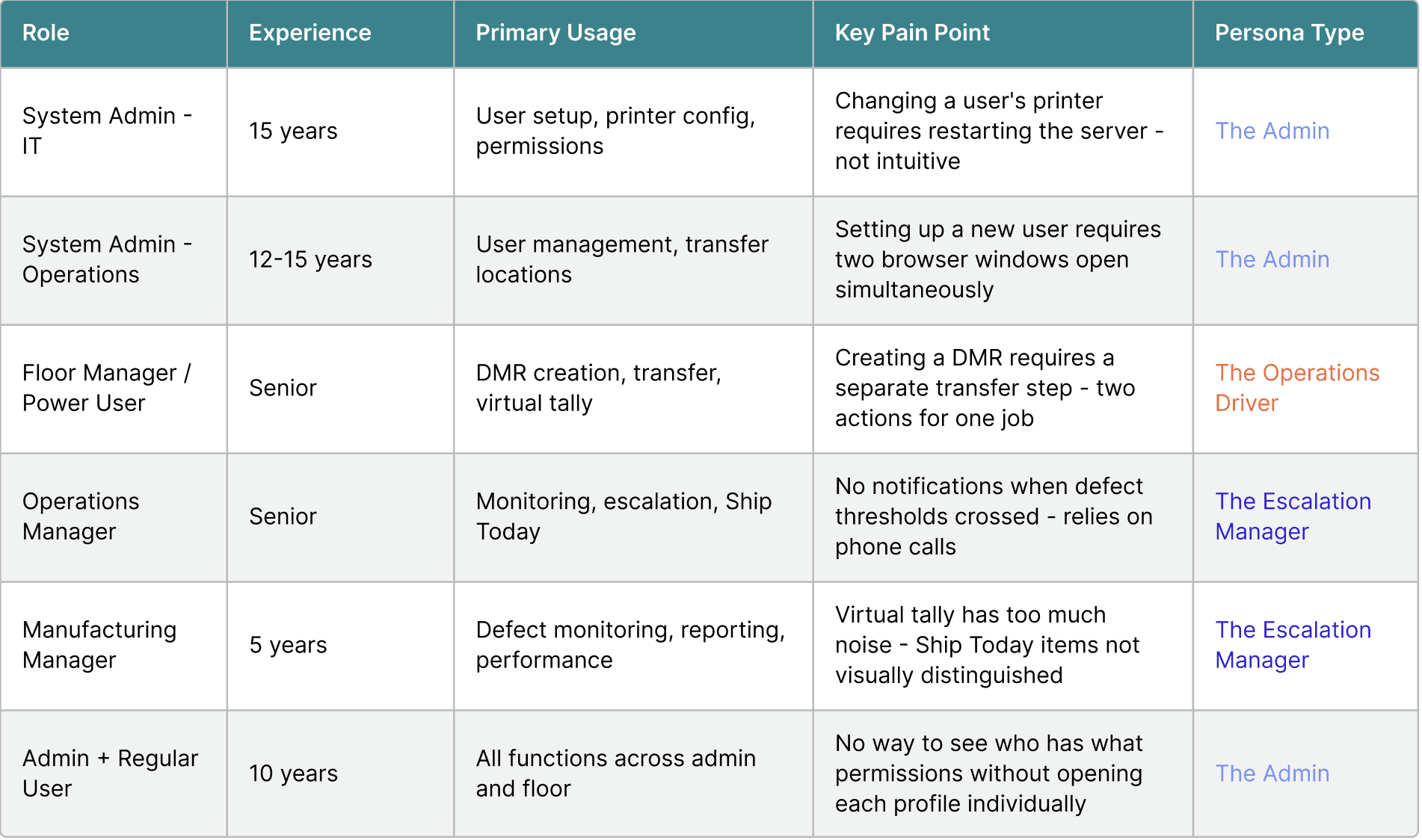
What the research told us
After six interviews, three dominant themes emerged consistently across all user types.
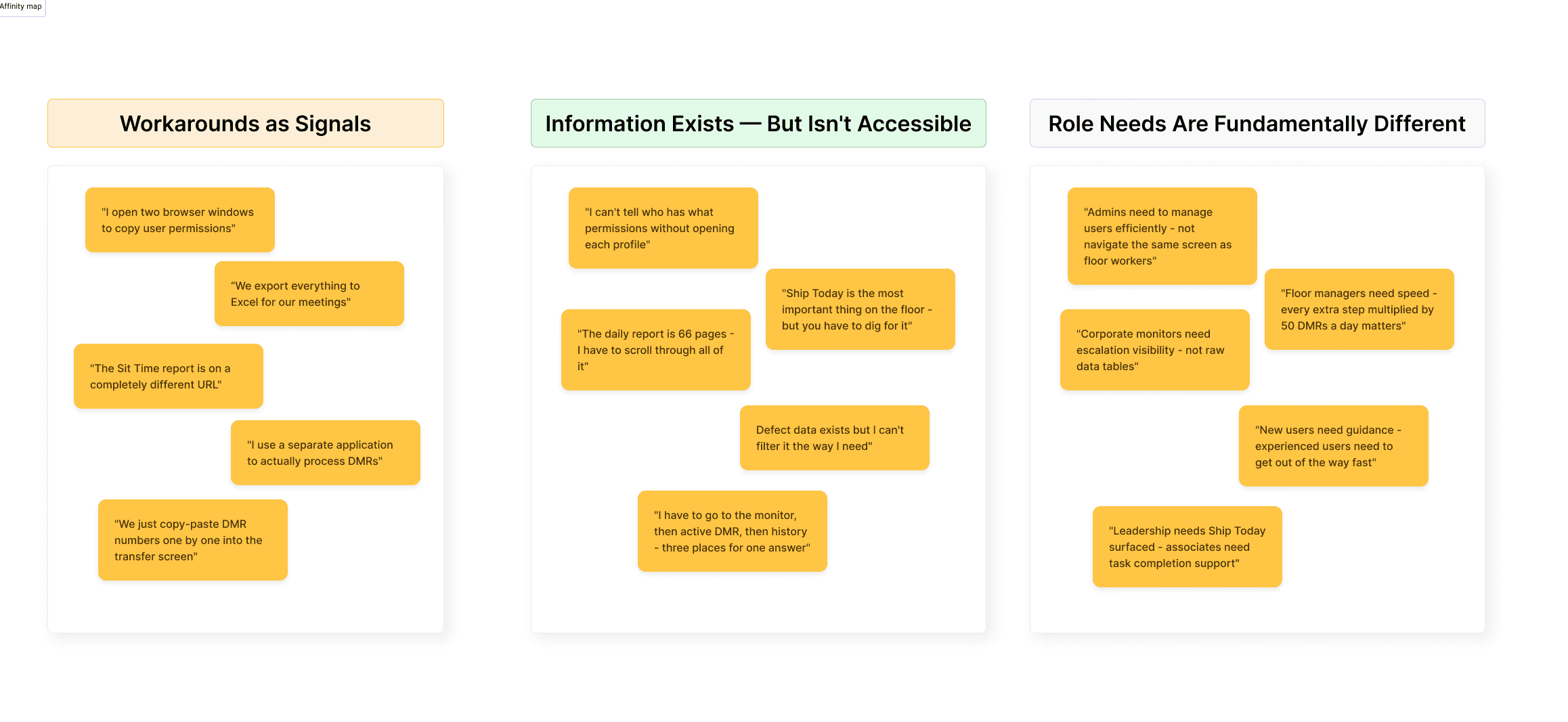
These themes reframed the problem from UI modernisation to information architecture restructuring - and drove every design decision that followed.
Who we designed for
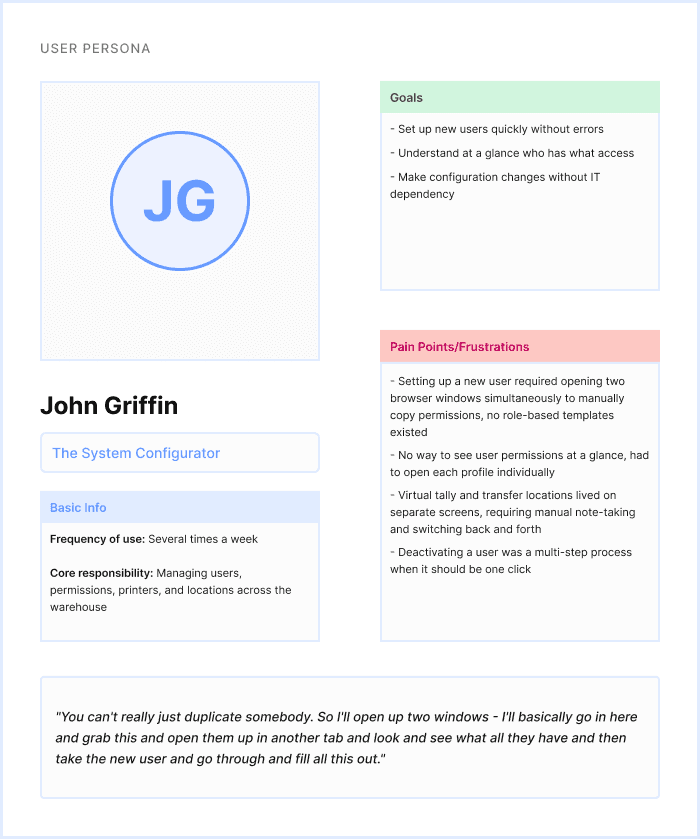
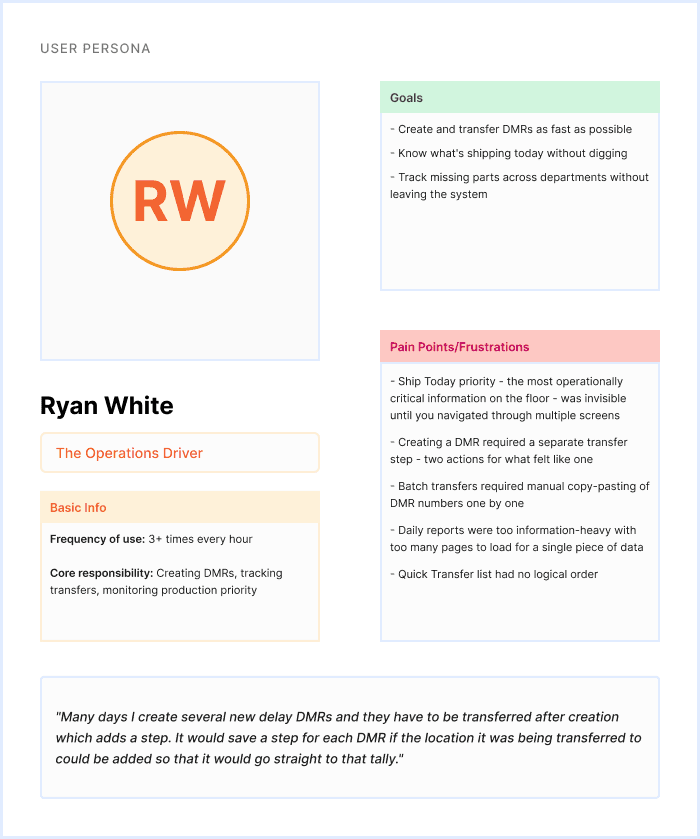
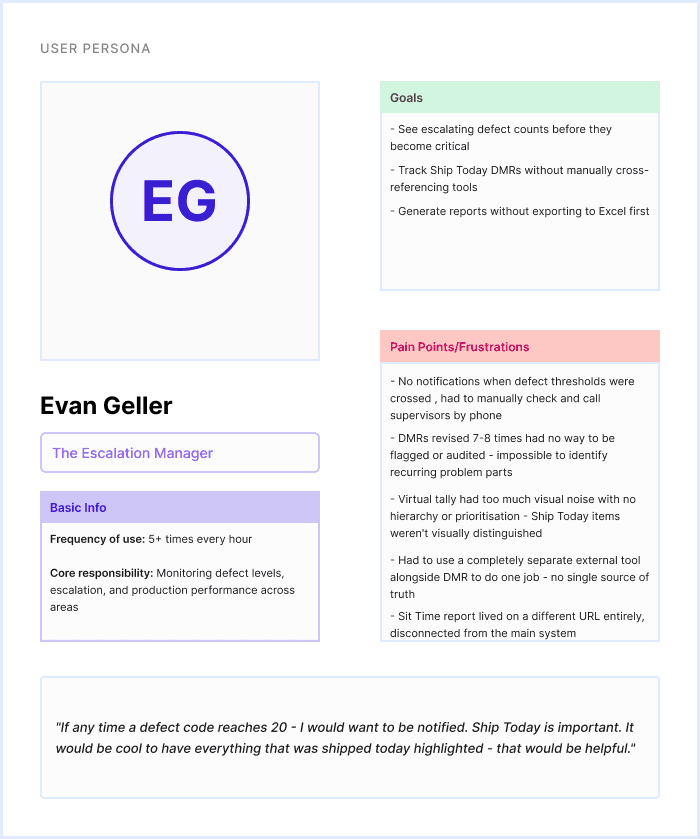
The Insight Reframe
What we assumed
The problem is an outdated interface
Users are struggling to navigate
A visual refresh will solve it
All users have similar needs
What research revealed
The problem is information fragmentation across disconnected tools
Users have built parallel workarounds and stopped relying on the system entirely
The information architecture needs restructuring around how people actually work
Three distinct user types with fundamentally different relationships to the system
Design Direction
The easier path was clear - take each existing screen, modernise the UI, ship it.
But interviews kept surfacing the same pattern. Users maintaining parallel Excel spreadsheets. A separate external URL for performance data. Two browser windows open simultaneously just to copy user permissions.
They were signals that the structure itself was broken. Redesigning the surface wouldn't fix that.
So the scope shifted - from UI enhancement to restructuring the IA so that what belonged together lived together.
The Redesign
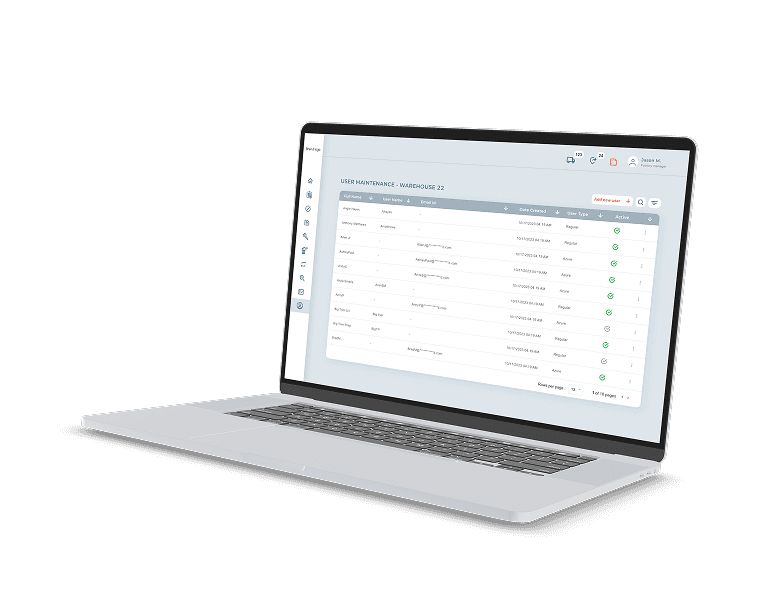
User Maintenance page
(Before)
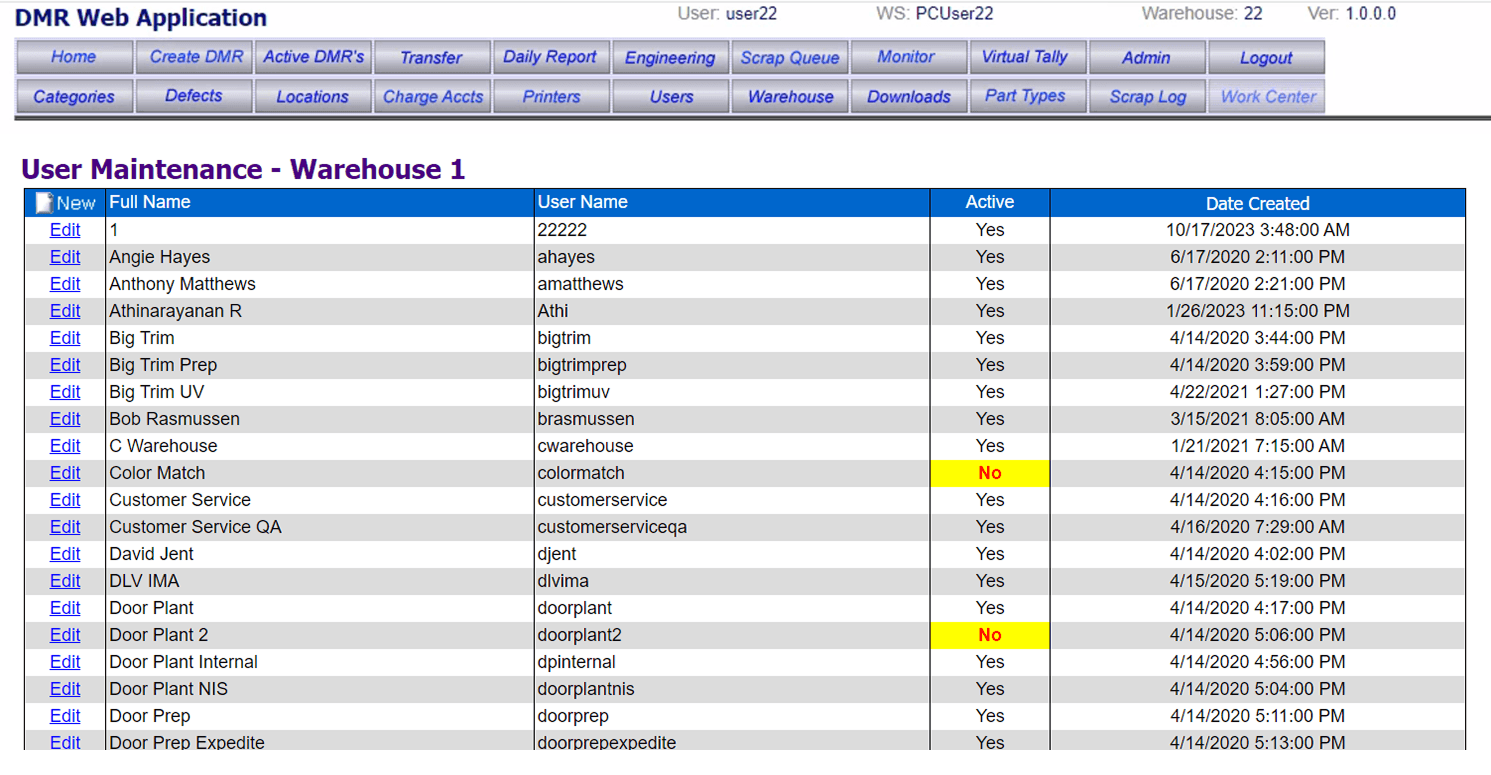
Navigation overload and unclear mental model -
The top navigation exposes a large number of modules at once, without grouping or prioritisation.Users rely on memory and habit rather than recognition, increasing errors and slowing down everyday tasks..
Data density without scannability-
The table presents a large amount of information, but offers little support for scanning:
No strong column hierarchy
No visual grouping
No affordances for sorting, filtering, or prioritising records
Dated interaction patterns reduce confidence -
Users may complete tasks, but without confidence. The system feels harder to learn, harder to trust, and harder to recover from mistakes.
Poor support for first-time or infrequent users -
New users depend on external help or tribal knowledge, increasing onboarding time and reliance on support teams.
User Maintenance page
(After)
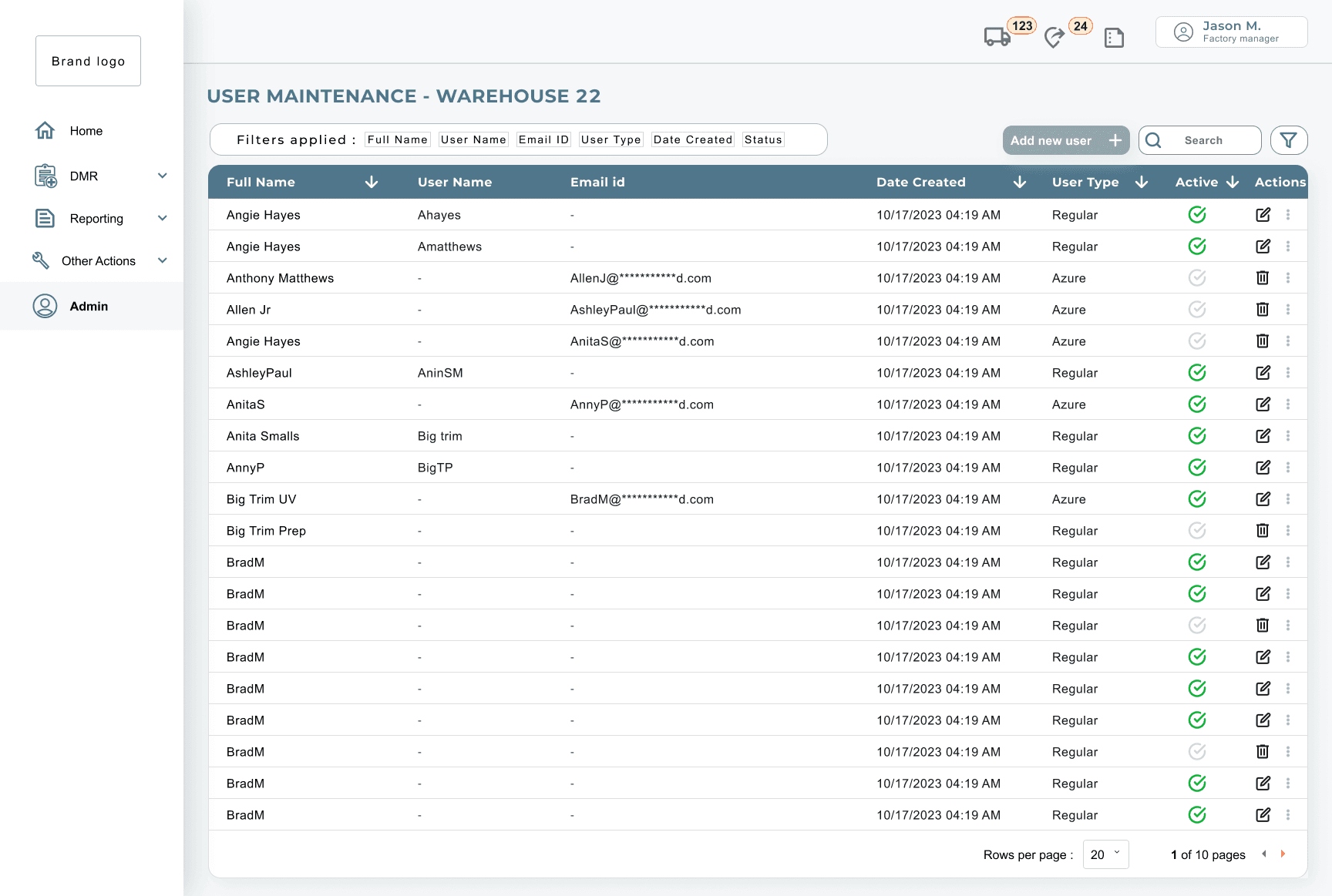
Navigation restructured to reduce cognitive load -
Users no longer need to scan an exhaustive list of options before orienting themselves.Visual emphasis shifted from navigation to content
This screen is primarily about reviewing and managing records. By de-emphasising chrome elements (menu, header), the interface better supports sustained focus on the task at hand rather than on navigation.
Clear hierarchy established within the table-
Users can now quickly scan for relevant information, such as user type or active status -without reading line by line. This reduces cognitive effort
Action placement simplified and contextual-
The design avoids constant visual noise from repeated actions, allowing users to focus on information first and act second
Edit User Maintenance
(Before)
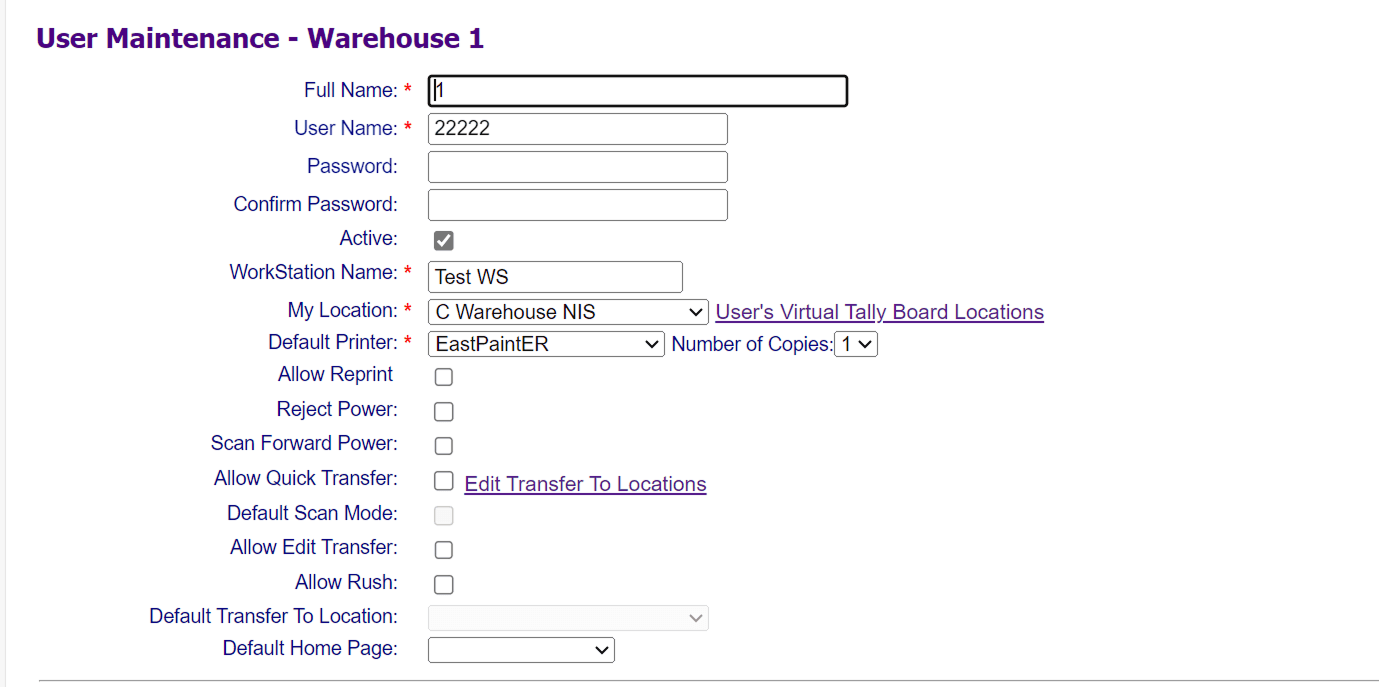
Overloaded form with no clear structure-
There is no visual or logical grouping to indicate which inputs belong together or which ones are critical versus optional.
Users must read line by line
High decision density without prioritisation-
The screen asks users to make many binary and configuration decisions (permissions, powers, defaults) at once, without explaining relevance or frequency of use.
Poor affordance for critical vs secondary actions -
The form feels intimidating and error-prone, particularly for new or infrequent administrators.
Lack of contextual guidance and feedback-
Users depend on tribal knowledge or trial-and-error, increasing support dependency and onboarding time.
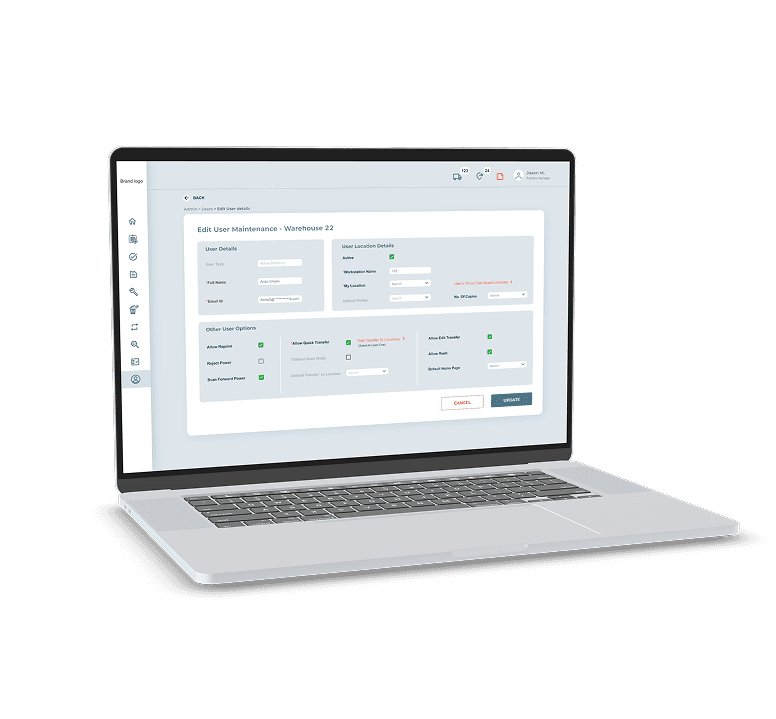
Edit User Maintenance
(After)
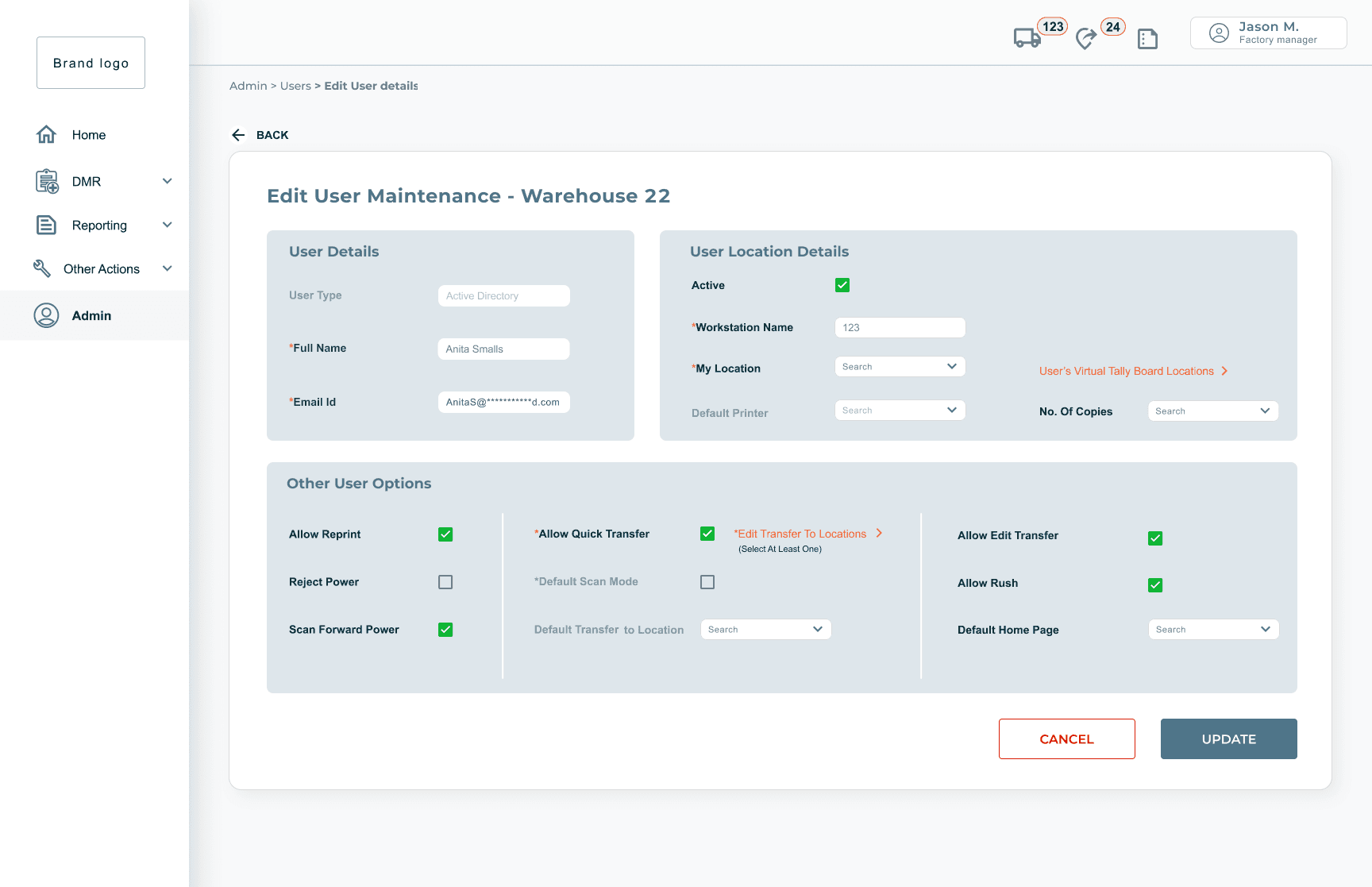
Form restructured around user intent, not system logic-
Fields are grouped into three clear sections: user identity, location settings, and permissions. Users no longer have to mentally sort what belongs together - the form tells them.
Decision load reduced through visual hierarchy -
Critical fields are surfaced at the top.
Advanced or infrequently changed options are visually contained, so users can move through the form without feeling like every field demands equal attention.
Permissions made scannable and actionable -
Users can quickly orient to what they're changing and why, without relying on memory or external guidance.
Error recovery made less intimidating -
Clear action placement, logical field dependencies, and a visible cancel path reduce the anxiety of making a mistake
Create DMR
(Before)

No context for what the fields mean -
"Schedule ID" and "Re-Use DMR #" sit bare on the page with no guidance. Users, especially new ones, have to already know what these mean to proceed.Two tasks forced into one ambiguous space-
Creating a new DMR and re-using an existing one are fundamentally different actions, but the screen treats them as equal inputs side by side with no clear hierarchy or separation.
No indication of what happens next -
The form gives users no sense of what selecting one path over another actually leads to, increasing hesitation and errors.
Create DMR
(After)
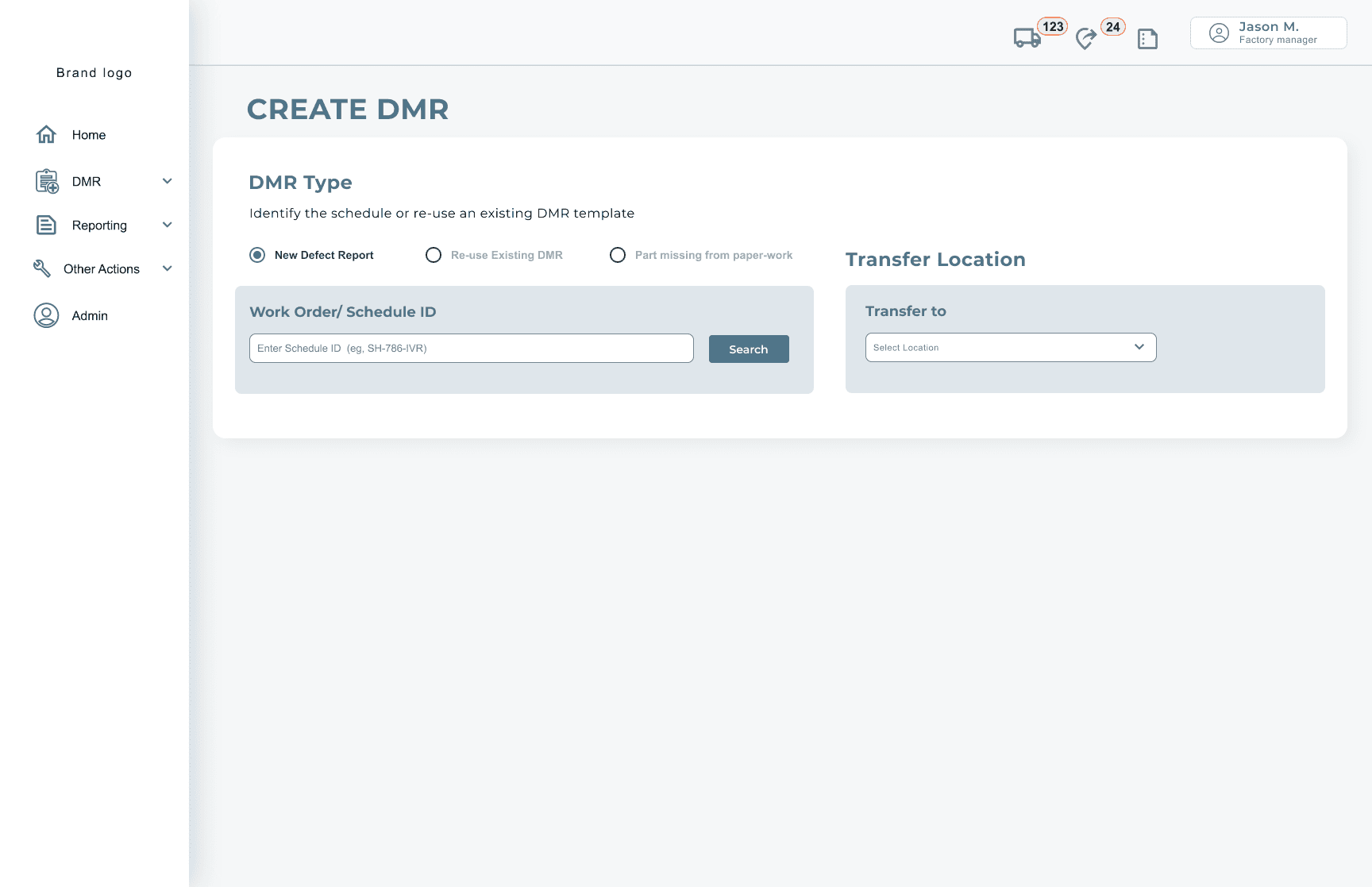
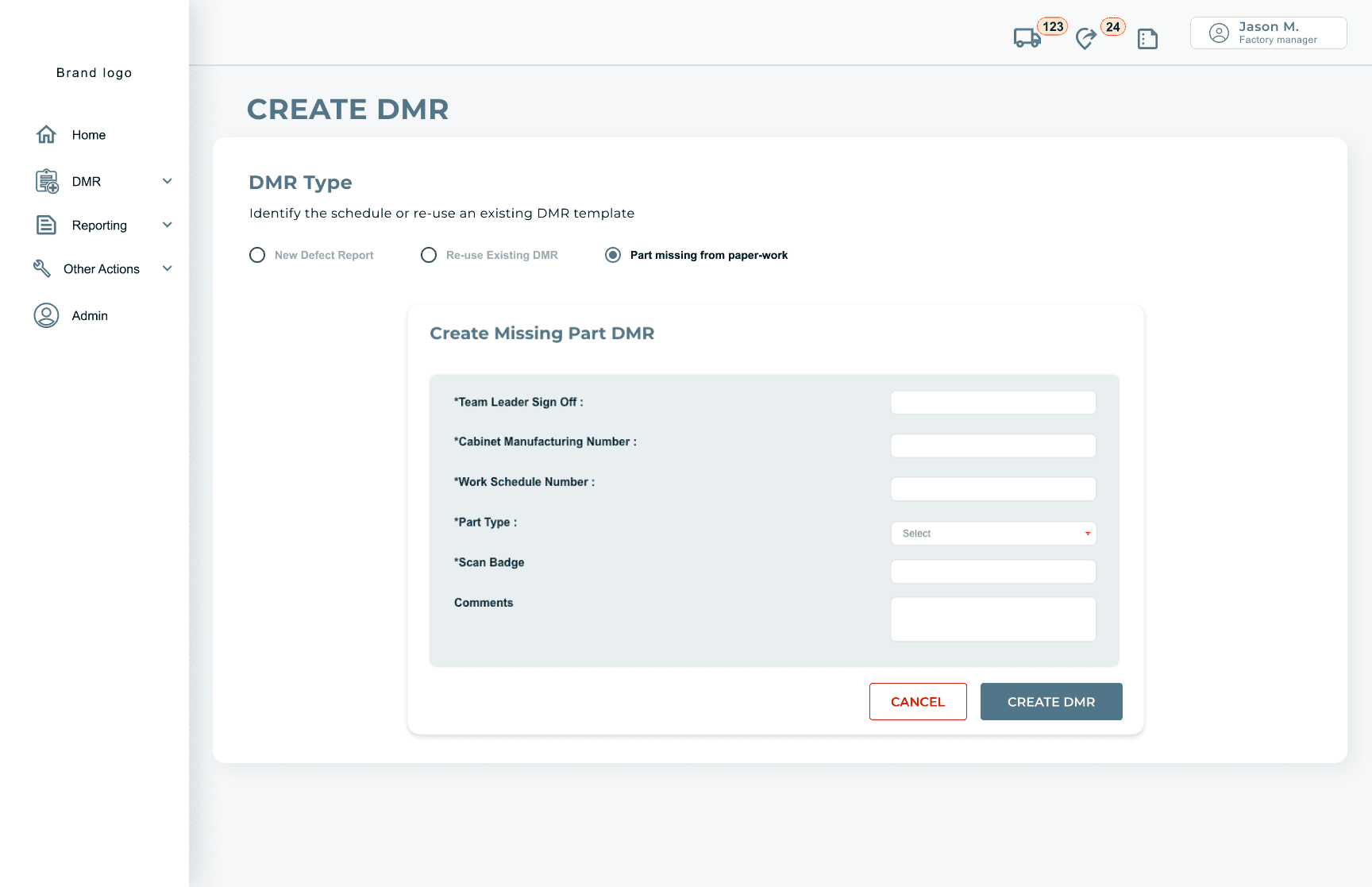
Task type made explicit upfront-
Users choose their DMR type first - New, Re-use, or Part Missing - before any fields appear. The decision point is clear before any input is required.
Context-sensitive fields reduce noise -
Only the fields relevant to the selected DMR type are shown. Users aren't confronted with inputs that don't apply to their current task..
Progressive disclosure reduces overwhelm-
The "Part Missing from Paperwork" path surfaces a focused sub-form only when selected, keeping the default view clean and the cognitive load low for the most common task.
Transfer Location given its own clear space -
Separated visually from the DMR type selection, making it clear this is a parallel but distinct decision, not part of the same input flow.
Impact and Influence
✦ Consolidated 6–7 screens into unified views, reducing navigation complexity across the system
✦ Restructured the left menu from a sprawling list to 5–6 clearly grouped sections - reducing decision load on every page load
✦ Simplified 4–5 fragmented flows into single continuous tasks
✦ Stakeholder review incorporating user feedback confirmed improved clarity and task confidence across all three user groups
Constraints & Reality
✦ These constraints shaped both the scope and the design decisions, prioritising clarity and feasibility over ideal-state solutions.
✦Limited direct access to end users
✦Heavy reliance on business analysts for domain translation
✦Strict timelines requiring prioritisation of high-impact changes
✦Technical constraints due to an existing React-based system
Challenges & Learnings
✦ Aligning multiple stakeholder groups required constant communication
✦ Time constraints limited depth of testing, reinforcing the need for early prioritisation
✦ Technical dependencies highlighted the importance of documenting decisions clearly